Simplify. Prioritize. Achieve. Task management made effortless.
Task Management Pro
COMPANY
Freelance Project
ROLE
UI Designer
EXPERTISE
App Design
YEAR
2024
Project Description
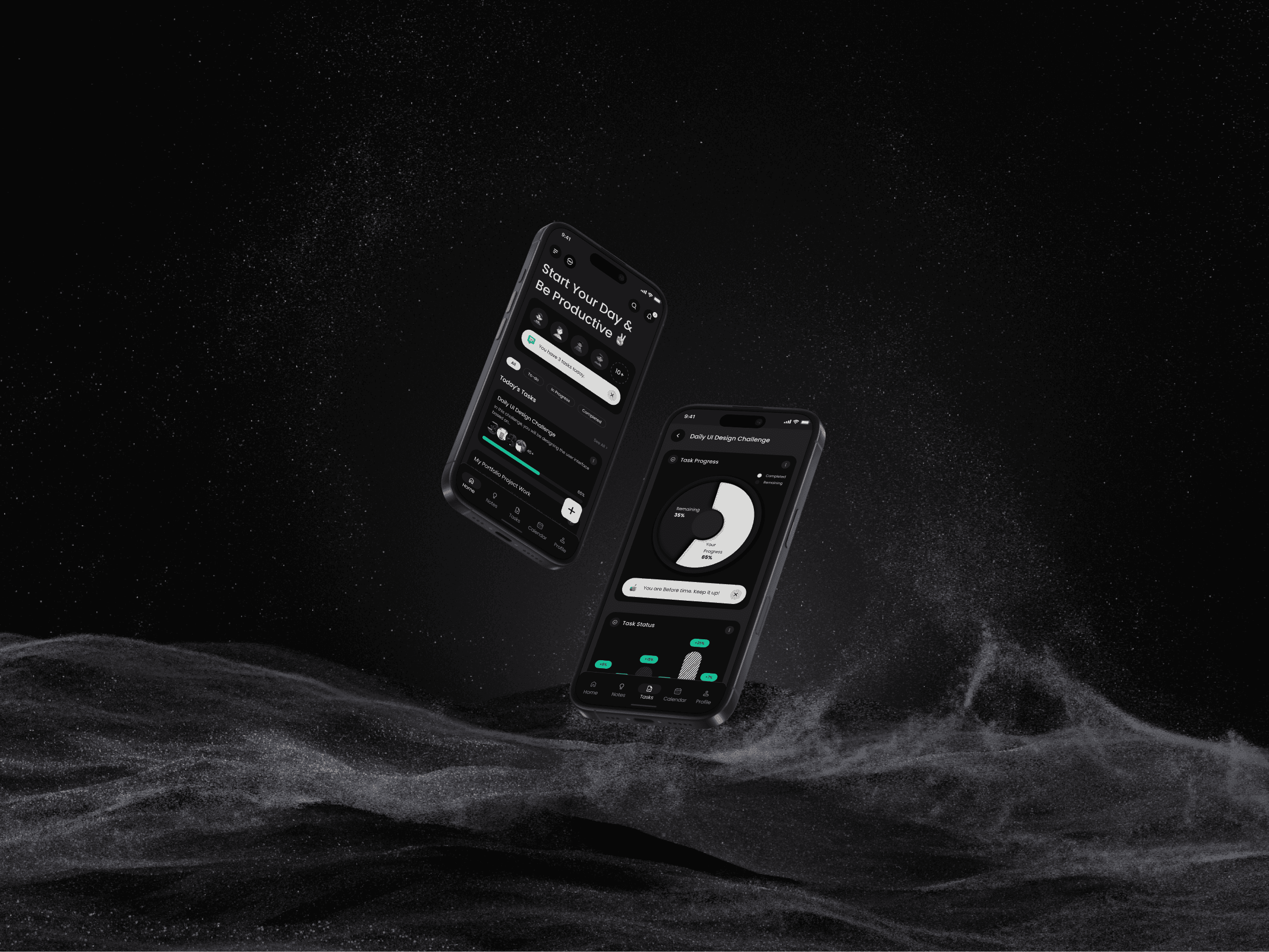
Task Manger Pro is a to-do App that combines simplicity with advanced features to provide a comprehensive task management experience.
Timeline
1-2 Months (January 2025 - February 2025)
Background
Task Management Pro was conceptualized to address the common struggles of staying organized and productive in fast-paced daily routines. The goal was to design a clean, user-friendly mobile app that helps users manage their tasks effectively—without feeling overwhelmed. It focuses on smart planning, prioritization, and progress tracking to support both productivity and peace of mind.
Design Process
The design process began with identifying common pain points in daily task management through user interviews and competitor analysis. I defined core features like task prioritization, category tagging, and a clean dashboard for clarity. Based on insights, I created user flows, wireframes, and high-fidelity UI in Figma with a focus on simplicity and efficiency. The app was designed to support both productivity and mental clarity, validated through peer testing and iterative refinement.
1. Problem Discovery & Goal Setting
The project began with identifying the everyday challenges people face with task management—such as feeling overwhelmed, losing focus, or lacking a clear routine. I conducted informal interviews and online surveys to understand how users plan their day, manage priorities, and track progress.
2. Competitive Analysis
Reviewed popular task management apps like Todoist, Notion, and Microsoft To Do to identify usability gaps and missed opportunities—especially in mobile-first experiences. The analysis helped define a need for a simpler, more visually clear solution tailored for on-the-go planning.
3. User Persona & Journey Mapping
Created personas like “The Overwhelmed Professional” and “The Routine Builder” to reflect core user needs. Mapped their journeys from task creation to completion, focusing on pain points like poor categorization, cluttered interfaces, and missed reminders.
4. Feature Planning & User Flows
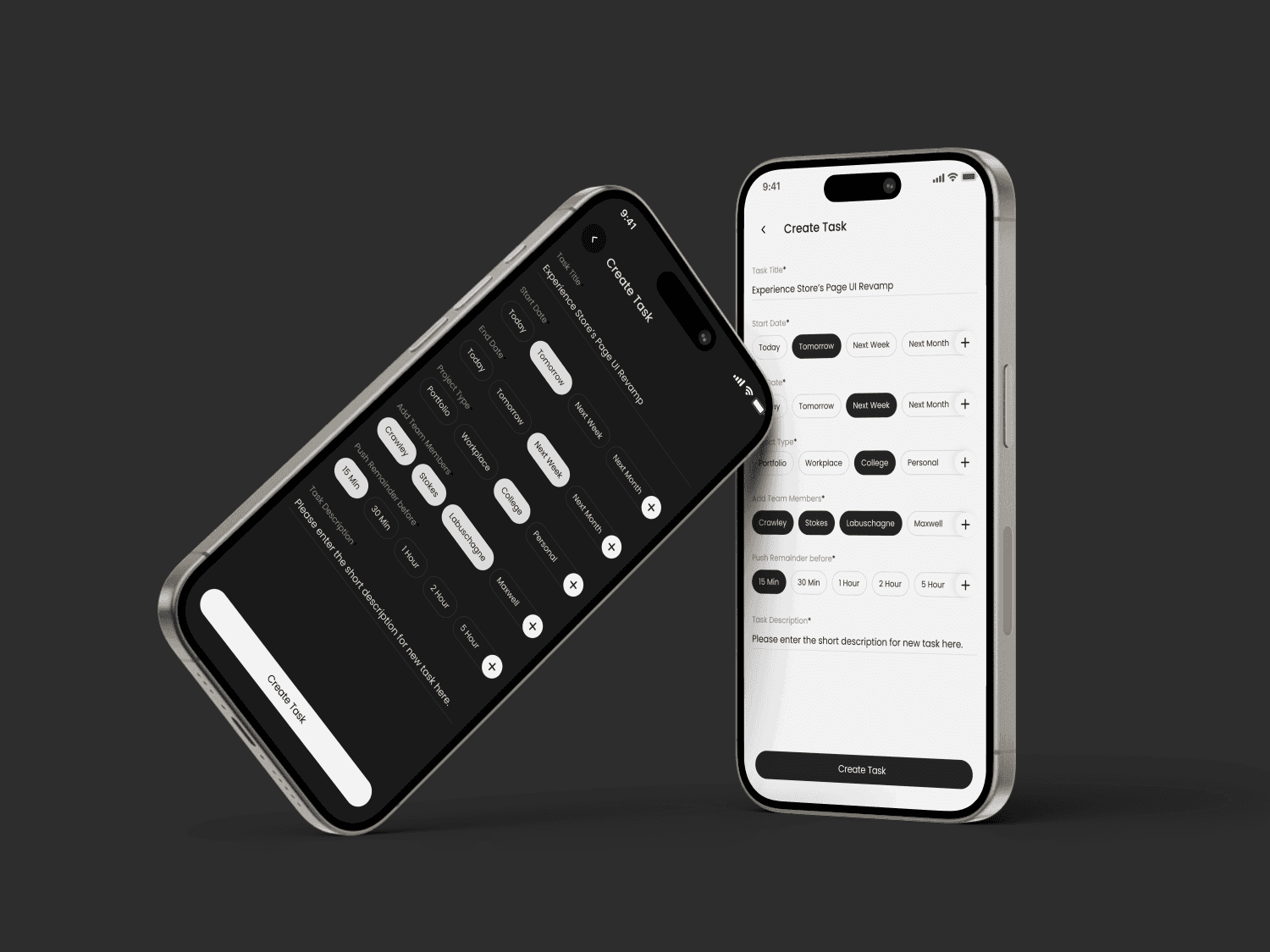
Defined must-have features: task creation, priority tagging, smart reminders, progress tracking, and daily overview. Designed intuitive user flows for core actions (e.g., adding a task, marking complete, setting priority) to keep interactions quick and meaningful.
5. Wireframing
Sketched and built low-fidelity wireframes to define structure and layout. The goal was to minimize cognitive load by keeping one primary action per screen and ensuring a clean hierarchy.
6. Visual Design & UI System (Figma)
Crafted a calming, minimal UI using soft tones, rounded cards, and legible typography. Built a modular design system in Figma, ensuring consistency across buttons, tags, calendars, and icons. Focused on a mobile-first approach, optimized for both Android and iOS patterns.
7. Prototyping & Microinteractions
Developed a clickable prototype showcasing key flows like creating tasks, tagging, and checking progress. Added subtle animations to enhance usability without distraction.
8. User Testing & Iteration
Tested the prototype with 4–5 users and gathered feedback on ease of use, clarity of UI, and intuitiveness of flow. Iterated on aspects like calendar clarity and CTA visibility based on real-time feedback.
9. Final Design Handoff
Prepared all design specs, assets, and interaction guidelines for handoff. Documented the design system and flows for smooth developer collaboration.
Solution
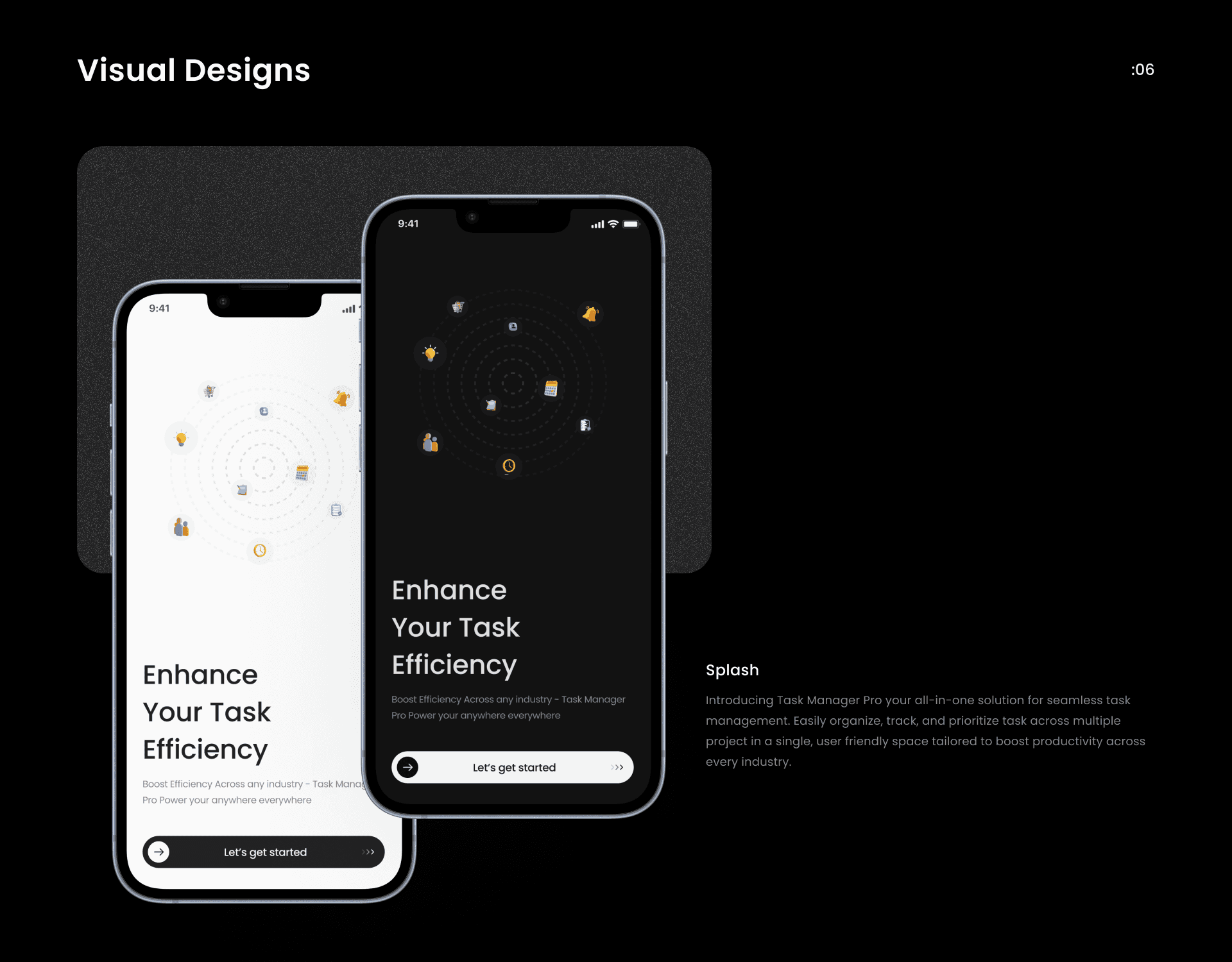
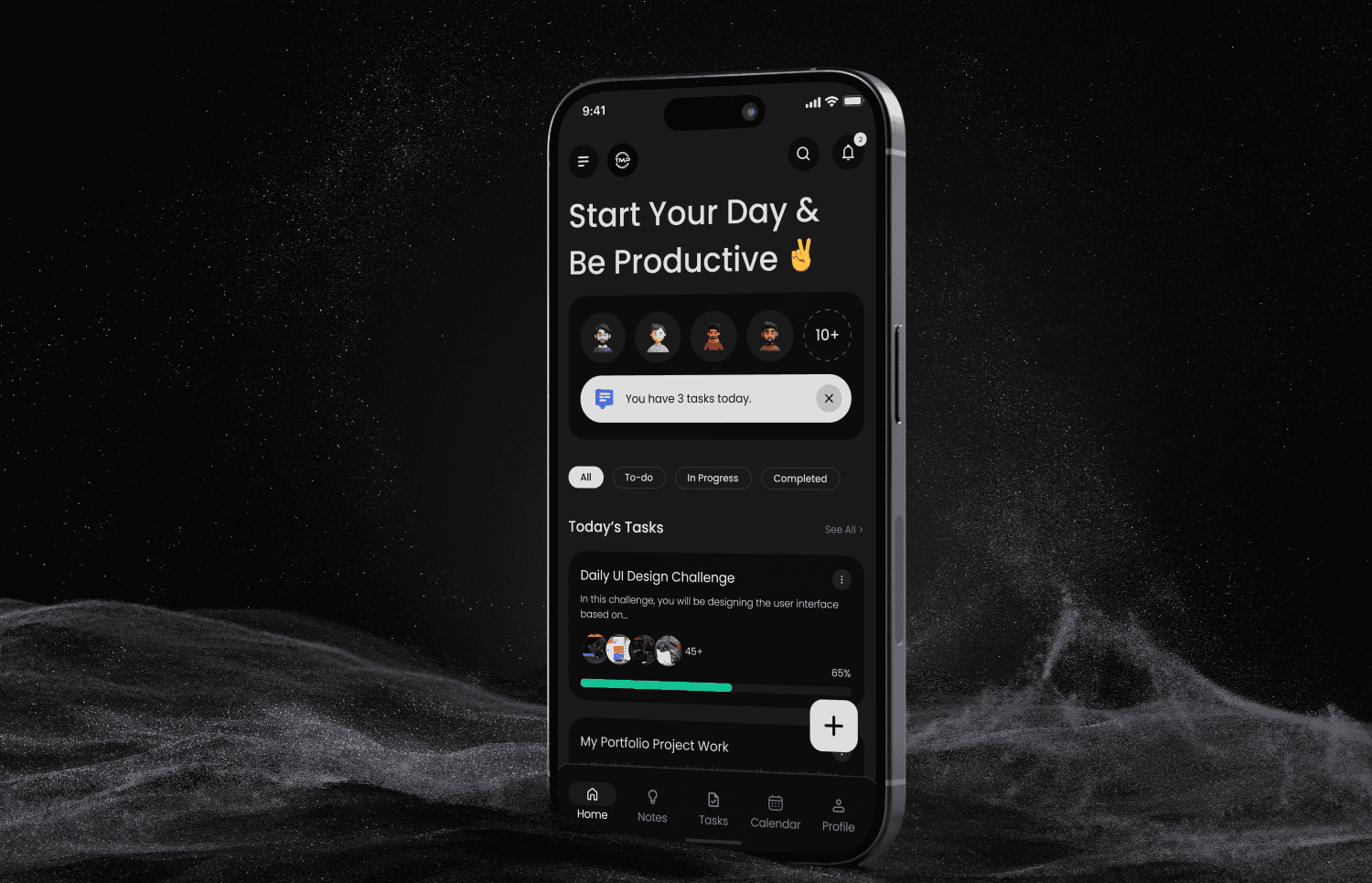
The final solution was a clean, minimal mobile app that enables users to organize, prioritize, and track tasks with ease. With intuitive navigation, a calming visual language, and features like smart reminders and category tagging, the app supports focused productivity without overwhelming the user.
Overwhelming Task Lists
Introduced smart prioritization and filtering to help users focus on what matters most.Lack of Visual Clarity
Designed a minimal, distraction-free UI that supports task flow without visual noise.No Structure for Categories
Enabled tagging and color-coded task groups for better organization.Poor Reminder Systems
Integrated smart reminders and recurring tasks to support habit-building and planning.Lack of Motivation or Progress Visibility
Added a clean progress tracker and streak indicators to keep users engaged.
Result
While in the prototype phase, the app is expected to show measurable improvements in user productivity and task completion behavior.
📈 Expected Outcomes:
40% increase in daily task completion rate through focused design and reminders
30% improvement in user retention due to habit-building features
25% higher engagement during morning planning hours
Increased positive feedback around visual clarity and ease of use